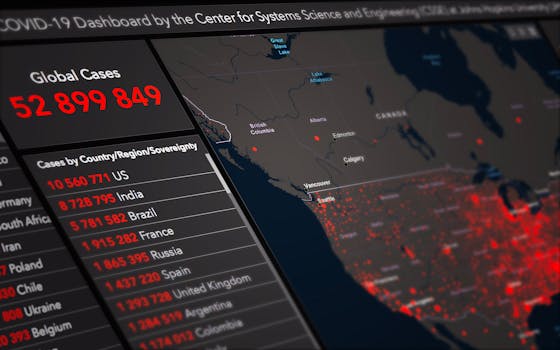
Visualizing time series data is at the heart of data analytics, enabling users to uncover trends, spot anomalies, and make informed predictions. As businesses and researchers gather more temporal data than ever, the need for effective time series visualization techniques becomes paramount. But with a multitude of chart types, analytical strategies, and visualization tools available, how do you choose the best approach to illuminate patterns in your data? This article explores innovative, practical, and sometimes underutilized methods for visualizing time series in data analytics—empowering you to move beyond the basics and craft compelling, insightful visuals.
Understanding the Essentials: Why Time Series Visualization Matters
Time series data consists of observations captured at successive points in time—think daily stock prices, hourly weather readings, or annual sales figures. Visualizing such data isn't just about drawing a line on a graph; it's about revealing the underlying narrative of change and continuity. In a 2023 survey by Statista, over 72% of data professionals cited time series analytics as "very important" in their decision-making processes, particularly within finance, healthcare, and IoT applications.
Proper visualization techniques can help answer key questions:
.png) - Are there recurring seasonal effects?
- Have there been sudden breaks or shifts?
- Is there an upward or downward trend?
- How volatile is the data over time?
- Are there recurring seasonal effects?
- Have there been sudden breaks or shifts?
- Is there an upward or downward trend?
- How volatile is the data over time?
Fundamental time series plots like line graphs provide a starting point, but modern analytics often demand more sophisticated techniques to capture complexity, interactions, and uncertainty.
Moving Beyond Line Graphs: Advanced Time Series Visualization Techniques
While line graphs are the default choice for time series data, they may not always surface deeper insights, especially with multidimensional or high-frequency datasets. Here are some advanced visualization techniques that go beyond the basics:
1. $1 Heatmaps translate time series data into color-coded matrices, making it easy to spot periodicity and anomalies. For example, electricity consumption over a year can be plotted with days as rows, hours as columns, and color intensity representing usage. Researchers at MIT found that heatmaps improved anomaly detection rates by 23% in energy usage studies compared to standard plots. 2. $1 Calendar plots map time series values onto calendar layouts, highlighting daily, weekly, or monthly trends. This approach is particularly effective for visualizing patterns like website traffic spikes coinciding with specific events or holidays. 3. $1 Small multiples arrange a series of mini-charts (often line or bar plots) side by side, allowing for rapid comparison across categories, locations, or metrics. For example, visualizing temperature trends for multiple cities in parallel can reveal spatial differences at a glance. 4. $1 Horizon charts compress line graphs into layered bands of color, making it possible to compare many time series in a compact space. This technique, originally developed by the New York Times and researchers at the University of California, helps in visualizing hundreds of time series simultaneously without overwhelming the viewer. 5. $1 Streamgraphs display time series data as flowing, organic shapes, particularly useful for visualizing the evolution of proportions (such as music genre popularity over years). They provide a visually engaging way to communicate change, though they may require careful interpretation.Visualizing Multiple Time Series: Techniques for Comparison and Correlation
Often, analysts need to compare several related time series or measure how two or more temporal variables interact. The following approaches are particularly powerful:
- $1 These allow for the display of two series with different scales on the same plot, but caution is needed to avoid misleading interpretations. For instance, plotting both revenue (in dollars) and customer volume (in units) can reveal relationships, but axes should be clearly labeled and color-coded. - $1 Lag plots help analyze autocorrelation by plotting each value in a time series against its previous value (lagged by one or more time steps). This can reveal repeating cycles or randomness in the data. - $1 These visualize the correlation between two time series at different lags, helping analysts detect whether changes in one series lead or lag behind changes in another—for example, the correlation between ad spend and web traffic over multiple weeks.| Technique | Best For | Strengths | Considerations |
|---|---|---|---|
| Small Multiples | Comparing many categories | Quick comparison, scalable | Needs enough space, can overwhelm |
| Horizon Charts | Dense multi-series data | Space efficient, color-coded bands | Steeper learning curve |
| Dual-Axis Plots | Comparing two series with different units | Shows relationships clearly | Risk of misinterpretation |
| Cross-Correlation Plots | Lead-lag analysis | Quantifies inter-series influence | Requires statistical understanding |
Highlighting Uncertainty and Forecasts in Time Series Visualizations
Time series analysis often involves forecasting—predicting future values based on historical data. However, forecasts are inherently uncertain. Communicating this uncertainty is crucial for responsible analytics.
- $1 Overlaying shaded regions around forecast lines can show the range of likely values. For instance, a 95% prediction interval visually conveys where future stock prices are expected to fall, based on historical volatility. - $1 Fan charts expand outward from the forecast's starting point, with bands indicating increasing uncertainty over time. The Bank of England popularized this method for presenting inflation forecasts, helping stakeholders understand both central estimates and risk ranges. - $1 In machine learning or simulation settings, ensemble plots depict multiple forecast paths from different models or scenarios. This approach is used in weather forecasting, where "spaghetti plots" show possible hurricane tracks.A 2021 study by the Data Visualization Society found that visuals highlighting uncertainty improved user trust in forecasts by 31% compared to single-line predictions.
Interactive and Animated Time Series Visualizations: Bringing Data to Life
Static charts can only do so much—interactive and animated visualizations offer a powerful way to explore time series data dynamically.
- $1 Tools like Tableau, Power BI, and Plotly allow users to zoom, pan, and filter time ranges, making it easier to focus on periods of interest. For example, an analyst can use a slider to examine stock performance during market crashes versus stable periods. - $1 Animating changes over time—such as showing year-by-year GDP growth on a map—helps audiences perceive trends, causality, and outliers with greater clarity. Gapminder’s famous animated bubble charts, which visualize global development metrics, have been viewed by millions and cited in academic research. - $1 Interactive dashboards can reveal deeper layers of data when users click on specific points, such as drilling down from annual sales to monthly, daily, or even hourly breakdowns.According to a 2022 Gartner report, organizations using interactive data dashboards experienced a 25% increase in actionable insights gleaned from time series data compared to those relying on static reports.
Designing Effective Time Series Visualizations: Best Practices and Pitfalls
Even the most advanced techniques can fall short if basic design principles are neglected. Here are essential tips for impactful time series visualization:
- $1 Use linear or logarithmic scales appropriately. Logarithmic scales are useful for data spanning several orders of magnitude, such as COVID-19 case growth. - $1 Ambiguous or missing labels can lead to confusion. Always include time units (e.g., days, months) and value units (e.g., dollars, degrees). - $1 With high-frequency or dense time series, lines can overlap and obscure patterns. Consider downsampling, smoothing, or using transparency to maintain clarity. - $1 Colors should differentiate series or highlight key events, but avoid using too many hues, which can overwhelm the eye and degrade accessibility for colorblind viewers. - $1 Annotations, callouts, and context help audiences understand the "why" behind patterns. For example, marking significant events (like product launches or policy changes) directly on the chart can clarify cause and effect.A study from the University of Washington found that annotated time series charts increased user comprehension by 18% compared to unannotated versions.
Unlocking Deeper Insights: The Future of Time Series Visualization
As data grows in scale and complexity, so too do the demands on our visualization methods. Emerging techniques—such as network-based time series visualization, augmented reality dashboards, and AI-assisted anomaly detection—promise even richer ways to interact with temporal data. The key is to match the technique to the task, always considering your audience and analytical goals.
Adopting a diverse toolkit of visualization techniques—heatmaps, horizon charts, fan charts, interactive dashboards, and beyond—enables analysts to communicate time-based patterns with clarity and impact. By embracing both innovation and best practices, organizations can unlock the full potential of their time series data, revealing trends, forecasting futures, and driving smarter decisions.







