Displaying Time Series in Data Visualizations: Methods, Best Uses, and Comparisons
Time series data—data points collected or recorded at successive times, often at regular intervals—play a critical role in fields like finance, healthcare, meteorology, and beyond. The ability to visualize how variables change over time transforms raw numbers into actionable insights, revealing trends, cycles, anomalies, and dependencies that would otherwise remain hidden. But with so many possible visualization techniques, choosing the right method for displaying time series can be daunting.
In this article, we’ll explore the most effective methods for visualizing time series data, discuss the strengths and best-use scenarios for each, and provide comparisons to help you select the ideal approach for your project. Whether you’re plotting stock prices, tracking website visitors, or analyzing climate patterns, understanding these visualization options will empower you to communicate time-based data clearly and persuasively.
The Importance of Choosing the Right Time Series Visualization
Why does the choice of visualization method matter so much for time series data? The answer lies in the unique characteristics of time-based datasets. Unlike categorical or static numerical data, time series visualization must capture not just values, but how those values change, interact, and trend over periods. The right visualization can:
.png) - Highlight seasonality, cycles, and long-term trends
- Reveal correlations or dependencies between multiple time series
- Detect anomalies, outliers, or sudden changes
- Facilitate forecasting and predictive analysis
- Highlight seasonality, cycles, and long-term trends
- Reveal correlations or dependencies between multiple time series
- Detect anomalies, outliers, or sudden changes
- Facilitate forecasting and predictive analysis
A poorly chosen graphic, on the other hand, can obscure these dynamics or even mislead the viewer. According to a 2022 survey by Tableau, 68% of data professionals reported that misapplied visualizations led to misinterpretations of time trends in their organizations. This makes the selection process not just a matter of aesthetics, but of accuracy and decision-making.
Classic Line Charts: The Foundation of Time Series Visualization
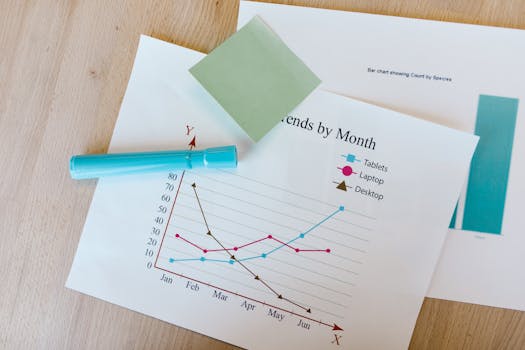
The line chart is the classic and most widely recognized method for displaying time series data. In a line chart, time is plotted on the x-axis, and the variable of interest on the y-axis. Each data point is connected by lines, offering a continuous view of how the variable changes.
Why line charts work so well: - Intuitive for most viewers, as they mimic how we naturally perceive time flowing from left to right. - Excellent at revealing trends, cycles, and sudden jumps. - Capable of displaying multiple series for comparison, using different colors or line styles.Example: In financial markets, line charts are used extensively to show stock prices over days, months, or years. Similarly, in web analytics, a line chart might track daily active users over a quarter.
Limitations: - Can become cluttered or unreadable with too many series or volatile data. - Not ideal for showing distributions, ranges, or uncertainty without enhancements.Variants include smoothed line charts (using moving averages), area charts (where the area under the line is filled), and step charts (which highlight discrete changes).
Alternative Methods: Bar, Area, and Dot Plots for Time Series
While line charts are ubiquitous, they’re not always the best fit, especially for specific data types or storytelling goals. Several alternatives can enhance clarity or focus on different aspects:
1. Bar Charts (Column Charts) - Used when data is aggregated into discrete intervals (e.g., months, quarters). - Effective for emphasizing individual periods or comparing irregular intervals. - Example: Monthly sales for a retail chain in 2023. 2. Area Charts - Similar to line charts but with filled areas under the lines. - Useful for visualizing cumulative totals or the magnitude of change. - Stacked area charts can show how components (e.g., product categories) contribute to a total over time. 3. Dot Plots and Lollipop Charts - Represent each time point as a dot (or dot on a stick for lollipop charts). - Reduce visual clutter and can be easier to read with sparse or discrete events. - Example: Showing dates of major product launches or incidents.Each of these methods offers distinct advantages depending on the density of the data and the message you intend to convey.
Advanced Methods: Candlestick, Heatmap, and Horizon Charts
For more complex time series data, especially when multiple variables or additional dimensions (like distribution or volatility) are involved, advanced visualization techniques shine:
1. Candlestick Charts - Developed for financial market analysis to show open, close, high, and low prices within a time interval. - Each "candlestick" displays the day’s range, with color or shading indicating up or down movement. - Offers richer information than simple line charts for trading or price analysis. 2. Time Series Heatmaps - Display time intervals on one axis and a secondary dimension (such as hours of day or categories) on the other, with color intensity representing values. - Ideal for spotting periodic patterns, such as website traffic by hour and day or energy usage across weeks. - Can handle large datasets in a compact space. 3. Horizon Charts - Compress time series vertically by layering bands of color to represent magnitude. - Useful for comparing many time series at once without taking up much vertical space. - Example: Monitoring dozens of sensor outputs or product metrics simultaneously.These advanced charts require more careful explanation but can deliver deeper insights, especially for experienced analysts.
Interactive and Animated Time Series Visualizations
With modern visualization tools and dashboards, interactive and animated displays have become increasingly popular for time series data. These methods harness technology to make the exploration of temporal data more dynamic and engaging:
- Interactive Zoom and Pan: Users can focus on specific periods, zoom in on anomalies, or aggregate data at different resolutions (e.g., by day, week, or month). - Tooltip Details: Hovering over a point reveals exact values, annotations, or related information. - Animated Transitions: Showing changes over time as an animation, which is particularly compelling for telling stories (e.g., epidemic spread over weeks).Example: Google Trends allows users to interactively explore topic popularity over time, adjusting time ranges and comparing multiple terms. In a 2021 study by the Nielsen Norman Group, interactive visualizations improved data comprehension by up to 32% compared to static charts.
The key is to use interactivity to enhance—not overwhelm—the user’s ability to spot relevant patterns.
Comparing Time Series Visualization Methods: When to Use What?
Choosing the right method depends on your data characteristics, audience, and analytical goals. The table below summarizes the primary use cases, strengths, and ideal scenarios for each method:
| Visualization Method | Best For | Strengths | Limitations |
|---|---|---|---|
| Line Chart | Trends, cycles, comparisons | Intuitive, supports multiple series | Cluttered with many lines, less good for distributions |
| Bar/Column Chart | Discrete intervals, totals | Emphasizes individual periods, easy to compare | Less smooth for continuous data |
| Area/Stacked Area Chart | Cumulative totals, composition | Shows part-to-whole, magnitude | Can be hard to read with many categories |
| Candlestick Chart | Financial OHLC data | Shows open/close/high/low, volatility | Specialized, can confuse non-financial users |
| Heatmap | Patterns across two time scales | Compact, reveals periodicity | Abstract, may require explanation |
| Horizon Chart | Many series, space-saving | Efficiently compares trends | Learnability, not for all audiences |
| Interactive/Animated | Exploration, storytelling | Engaging, supports deep dives | Requires digital tools, accessibility concerns |
Carefully consider your audience: business executives may prefer clear line or bar charts, whereas data scientists might appreciate the nuance of heatmaps or horizon charts.
Final Thoughts on Displaying Time Series in Data Visualizations
The landscape of time series visualization is rich and varied. While the classic line chart remains a go-to for its clarity and familiarity, alternatives like area charts, dot plots, candlesticks, heatmaps, and interactive dashboards offer tailored insights for different data types and analysis goals.
As data volumes grow, the ability to select and deploy the most effective visualization technique becomes even more critical. In a 2023 Data Visualization Society poll, 74% of respondents cited improved decision quality after switching to more appropriate time series graphics.
Ultimately, the best method is the one that makes your data’s story clear, actionable, and accessible to your intended audience. By understanding the strengths and limitations of each approach, you’ll be well equipped to turn complex time-dependent data into powerful visual insights.







