Introduction to Excel Charting
Excel charts are indispensable tools for visualizing data, making them essential for effective data presentation in professional and personal scenarios. If you're new to Excel or need a refresher on creating impactful charts, this guide will walk you through the essentials, from selecting the appropriate chart type to fine-tuning your charts for maximum clarity and impact.
Selecting the Right Chart Type
.png)
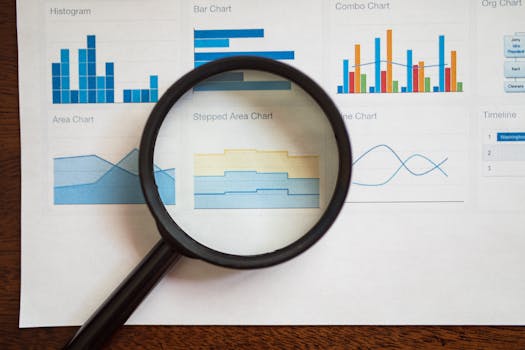
Excel offers a diverse array of chart types, each tailored for specific data visualization needs. Understanding the purpose and best use of each can help you make the right choice:
- Column Chart: Ideal for comparing different items or showing changes over time, with vertical bars making differences in values visually apparent.
- Line Chart: Excellent for tracking trends over intervals, such as time series data, showing continuity across the data points.
- Pie Chart: Best used for illustrating proportional distributions within a dataset, showing each category's contribution to the whole.
- Bar Chart: Useful for comparisons, especially when dealing with long category names that are easier to read horizontally.
- Area Chart: Similar to line charts but with the area beneath the lines filled in, emphasizing the volume of change over time.
- Scatter Plot: Perfect for identifying the correlation between variables, revealing patterns, or spotting outliers within sets of data.
How to Create a Chart in Excel
Creating a chart in Excel is a straightforward process that involves a few key steps:
- Select Data: Begin by selecting the data range that includes the values and categories you want to chart.
- Insert Chart: Navigate to the Insert tab and select the chart type that best fits your data. Excel will generate a chart based on your selection.
- Customize the Chart: Utilize the Chart Tools on the Ribbon to personalize your chart. Here you can adjust styles, add elements like titles, and modify the layout.
- Adjust Chart Type: If necessary, switch to a different chart type by selecting ‘Change Chart Type’ in the Chart Tools Design tab.
- Refine Elements: Enhance readability by adding or editing titles, axis labels, and legends. Customize further with the layout options available under Chart Tools.
Tips for Crafting Effective Charts
- Simplicity is Key: Avoid cluttering your chart with too much information. Highlight the most crucial data points to maintain focus.
- Clarity in Labeling: Ensure that all components of your chart are clearly labeled to avoid confusion for the viewer.
- Appropriate Chart Selection: Choose a chart type that matches the nature of your data and the story you want to tell.
- Strategic Color Use: Employ colors to aid in data interpretation, not merely to decorate. Ensure high contrast for visibility and comprehension.
Exploring Advanced Charting Techniques
Once you have mastered basic charting, you might consider advancing to more sophisticated techniques:
- Mixing Chart Types: Combine different chart types, such as overlaying a line chart on a column chart to show varied data types together.
- Incorporating Trendlines: Add trendlines to charts to illustrate significant patterns or trends clearly.
- Utilizing a Secondary Axis: Implement a secondary axis for charts that present data with different scales to improve readability and interpretation.
Conclusion
While initially daunting, chart creation in Excel is a skill that develops with use, greatly enhancing your ability to communicate data insights. Begin with straightforward charts, and as you gain confidence, experiment with more complex functionalities. Effective charting not only conveys your message but also highlights your analytical capabilities, making it a critical skill in data-driven environments.