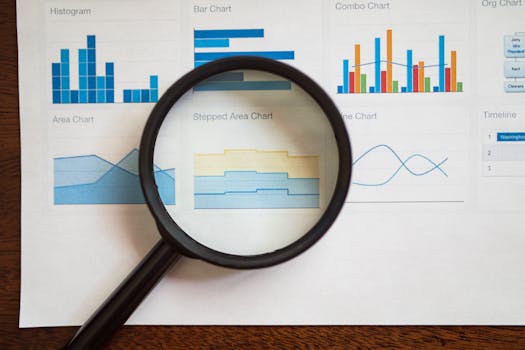
Crafting a compelling narrative with data visualization is a skill that marries analytics with creativity. In the era of big data, the ability to present information in a way that is both engaging and enlightening is increasingly valuable across all sectors, from business to education to journalism. Whether you're a data scientist, a business analyst, or a marketer, understanding how to tell a story with data visualization is key to turning abstract numbers into actionable insights.
Step-by-Step Guide to Storytelling with Data Visualization
- Understand the Basics of Data Visualization
The foundation of effective storytelling in data visualization lies in understanding how to represent data accurately and persuasively. Familiarize yourself with different types of charts and graphs, and understand what each is best used for:
.png)
- Line charts are ideal for showing changes over time.
- Bar charts work well for comparing quantities across different categories.
- Pie charts are suitable for showing proportions within a whole.
- Scatter plots are useful for depicting relationships between variables.
- Know Your Audience
Tailor your visualization to the preferences and expertise of your audience. Simplify complex data for general audiences, and provide deeper, more detailed visualizations for expert viewers. Consider what prior knowledge your audience has and what they care about—this will guide how you present your data.
- Set the Scene
Contextualize your data. Begin with an overview that sets the stage for deeper exploration. For instance, if you are presenting revenue data, start with broader economic conditions before moving to specific revenue streams or time periods. This helps your audience grasp the relevance and scale of the data.
- Choose the Right Visualization Tools
Select tools that align with your objectives. For straightforward tasks, simple tools like Google Charts or Microsoft Excel might suffice. For more complex visualizations, consider advanced tools like Tableau or Power BI. These tools often offer additional features such as real-time data integration and extensive customization options.
- Craft Your Narrative
Develop a storyline around your data. Begin with an introduction that outlines what the data covers and why it matters. The main body of your visualization should present the data in a logical, cohesive manner, leading to a conclusion that summarizes the key takeaways and, if applicable, a call to action.
- Utilize Colors and Layouts Effectively
Use color and layout strategically to guide your viewer’s attention and to make the visualization aesthetically pleasing and easy to understand. Ensure that color choices have good contrast and are accessible to all viewers, including those who are colorblind. Keep the layout clean and focused—avoid clutter that can detract from the data’s message.
- Incorporate Interactivity
Where appropriate, make your visualizations interactive. Allowing users to explore different aspects of the data by filtering, sorting, and drilling down can provide a richer, more engaging experience. Interactive elements help maintain viewer interest and can lead to deeper insights.
- Test and Gather Feedback
Before releasing your visualization to a broader audience, test it with a small group from your target audience. Gather feedback on both the design and the clarity of the information presented. Use this feedback to refine and improve your visualization.
Conclusion
Effective data visualization is more than just charts and numbers; it's about telling a story that connects with your audience. By carefully considering the narrative, design, and functionality of your visualizations, you can transform raw data into a compelling, insightful story that informs, persuades, and inspires. Remember, the best data visualizations don't just present facts—they illuminate them.